
The past two weeks have been filled with exciting and challenging adventures in 3D Printing as I tried to achieve my first Networked Learning Project goal: make a sign.
I started by watching some beginner Tinkercad videos and then searching YouTube for any videos about making 3D printed signs in Tinkercad. I couldn’t find anything that was an exact match but I did find videos about making keychains and nametags. After watching them, I opened up Tinkercad and started working on my own design. It was great to be able to go back and rewatch parts of a video in one tab and jump back to my work in Tinkercad in another tab. I started by grouping a cylinder and a square together and then inserting a “round roof” shape as a hole in the cylinder. This created a little handle which would make it easy to hang the sign. Next, I added another thin square as a background for my words and finally, I inserted letters for the sign text.
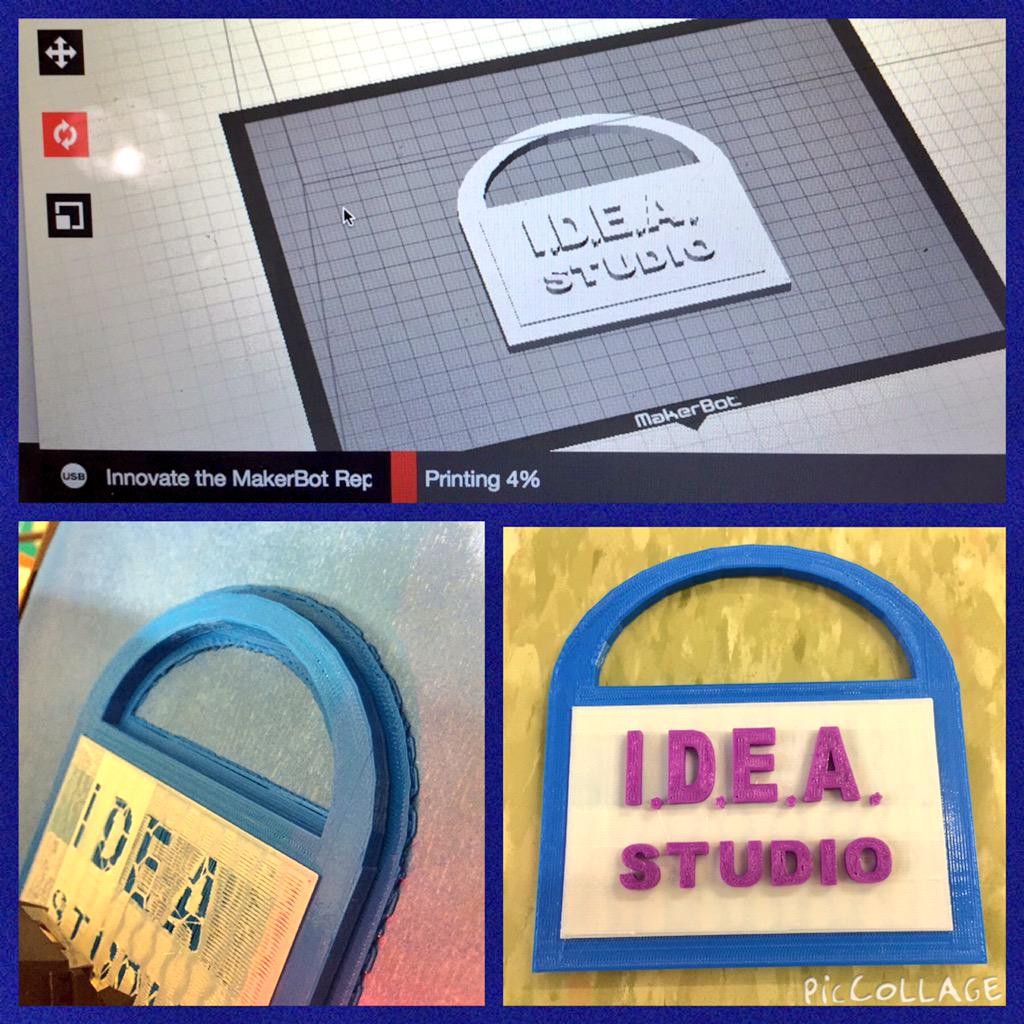 My Tinkercad design and then final product!
I also found a really helpful video with Tinkercad keyboard shortcuts that I’ve watched a few times already. It made it much easier to navigate and make edits on the site. I started to compile all of the videos I watched and learned from in a Tinkercad YouTube Playlist so it would be easy to go back and watch them again and find (and share!) them for future reference.
I really wanted to see if I could use multiple colors of plastic in my sign but I had never done that in one print. I could not find an easy way (I hope to follow-up about this in a help forum) to tell when the print was hitting different layers so I ended up just watching it closely and pausing the print when I thought it was finished with one part (e.g., the foundation) and then changing the filament and restarting the print. This worked beautifully the first time but the second time I tried it I ran into a known issue with the Makerbot Replicator 5th Gen – the extruder (where the plastic is heated and comes out) gets clogged and there’s no way to open the extruder and clear it. The likelihood of this seems to increase when you change filaments.

Changing the Extruder
I was able to pause the print and remove the filament when the extruder first became clogged and actually swap in a new extruder I had on hand. Unfortunately, that extruder also had problem, it was leaking filament! Even though I had not restarted the print, purple filament was slowly streaming out. Now, I was in a bind because I did not have another extruder to swap in. I decided to reach out to my local network (the other Tech Coordinators at my school) and ask if they had an extra extruder I could borrow. We’re fortunate enough to have a Makerbot in our Lower School, Middle School, and Upper School so there was a chance my project would be saved! Otherwise it could be weeks before I could finish the print. Thankfully, one of them did have a new extruder and I was able to put it in and successfully finish the print!
YouTube has been a very useful resource so far in this project. I am a visual learner and it’s helpful to be able to watch something, hear it explained, then go back and watch it again if I want, pausing to look closer at exactly how something is working. I’m excited to work on my next two goals, making something practical with the 3D printer and printing something with moving parts.







 Margaret A. Powers
You must be logged in to post a comment.