

On my last day in San Diego, two jets performing a demonstration created a sonic boom (“A loud explosive noise caused by the shock wave from an aircraft traveling faster than the speed of sound”) causing many to wonder if there had been a small earthquake. As I boarded my plane, I realized it was a nice representation of the reverberation I have been feeling since I experienced the shock wave of attending my first ISTE conference.
An ISTE conference can briefly be summarized as a large, loud explosion of learning, networking, and curating. I took in high volumes of information and was exposed to new tech tools, PLN members, and ideas each day. I don’t think I have ever been to a five day conference (#SocialEdCon + #ISTE12) before and I have to say, it is an intensive experience. The amount of information I’m taking in has decreased since the conference ended but my thoughts and questions have not. I’m still trying to process and place everything I heard and to think creatively about how I can integrate it into my working knowledge of technology in education, particularly with young children and in global collaborative projects.
I was too exhausted each night to try and curate the #ISTE12 Twitter stream (although it was actually smaller than I had anticipated) but I did try to capture as many tools, resources, and key points as I could via my favorites (and subsequently Evernote, thanks to IFTTT). I’m still reviewing all of the tech tools I captured and hope to curate them in a more organized fashion via Pinterest or Symbaloo soon.
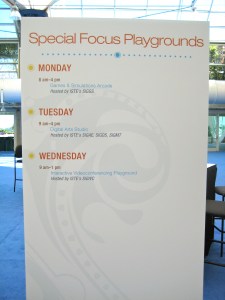 Aside from specific tools, I also learned or was reminded of a number of conference tips while at ISTE12. There was SO MUCH going on at this conference and at first I was concerned about how I would navigate everything from sessions, to playgrounds, to lounges! But after I took time to slow down a bit and review all of the various opportunities and activities, I realized that each one fulfilled unique goals. Here are some of my tips for navigating the different offerings:
Tip 1: If you really want to attend a specific session, make sure to get there at least 20 minutes early! I showed up to a couple of sessions only 5-15 minutes early and found them closed due to the room being at full capacity. I realized that if I really wanted a seat, I needed to get there far in advance.
Tip 2: When choosing sessions, remember it’s not just about the title. Check out the presenter too! The topic of a session may be important but an engaging, talented presenter can be equally key when trying to decide what to attend. S/he can prompt you to think critically and consider new ideas that you might not have considered if you only attended sessions on topics you’re already comfortable with. Plus, a presenter will probably keep your attention longer if the discussion is engaging you than if s/he is only reading from PowerPoint slides.
Tip 3: Remember to set goals! Before attending the conference, figure out what your goal is in going to the conference. Are you there to network? To learn about a new teaching approach or set of tools? Is it a combination? Revisit your goals during the conference and update them in response to the people you’re meeting, the sessions you attend, and your overall sense of what you want to gain from the conference to find out what fits you best and what will meet your professional needs.
Tip 4: It’s not just about attending, it’s also about interacting. As overwhelmed as you might be when trying to sort through your conference agenda make sure to schedule time to meet and talk face to face with presenters and other colleagues who are at the conference. Technology allows us to connect and build relationships from afar but when we’re together we should take advantage of that and the learning/sharing that can occur in-person.
Tip 5: Block out time EACH DAY for reflection. I realized too late in the conference that what I should have done each night was choose a specific time the next day that I would protect for reflection and processing (don’t even tempt yourself by looking at session titles during that time block!) because with so much going on, it was easy to keep pushing off time to think until I was too tired each night to do it. Next time, I’ll schedule “Reflection Sessions” in my conference planner.
As ideas from the conference continue to percolate, I’m left with some remaining questions …
Global education seems to have embraced technology as a meaningful tool for collaboration and communication across cultures, ages, and countries. It’s a field that seems to understand that the focus of technology use needs to be on learning, integration, and relationships.
- Why is technology used so successfully for intentional exchange and educative experiences in global education?
- Is it because technology is the only tool that can so easily and cheaply breakdown language and geographic barriers?
- Is it because the goal of global collaborative projects is about the relationships from the beginning whereas tech use in other settings is often about technology use/instruction?
- How can we help technology be seen (and used!) as a tool for meaningful exchange, dialogue, and collaboration, starting in early childhood and continuing through higher education?
Finally, I’m still reflecting and questioning the bubble that exists for those using technology in education and the even smaller bubble of those using social media in education for learning and networking. Is it permeable enough? How do we move in and out of it and expand beyond that bubble to have a more inclusive, dynamic, and global PLN across disciplines?
More thoughts (and questions!) to come …








 Margaret A. Powers
You must be logged in to post a comment.